
.png)

How to Remove Followers on Twitter (X) Without the Drama
If you’re searching for how to remove followers on Twitter, you’re probably dealing with one of these situations: random spam accounts, bots, inactive profiles, or people you simply don’t want in your audience anymore.
The good news: you can remove followers on X (Twitter) without publicly “calling them out,” and in most cases they won’t get a notification. The not-so-good news: there’s no official “remove everyone in bulk” button, so the key is having a clean, efficient process.
This guide walks you through the best ways to remove followers one by one, when to block instead, and how to prevent unwanted follows moving forward.
Quick Tools That Make Follower Cleanup Easier
Before you start removing anyone, it helps to have tools that make auditing and managing your audience less manual, especially if you have hundreds (or thousands) of followers to review.
1) TweetPeek
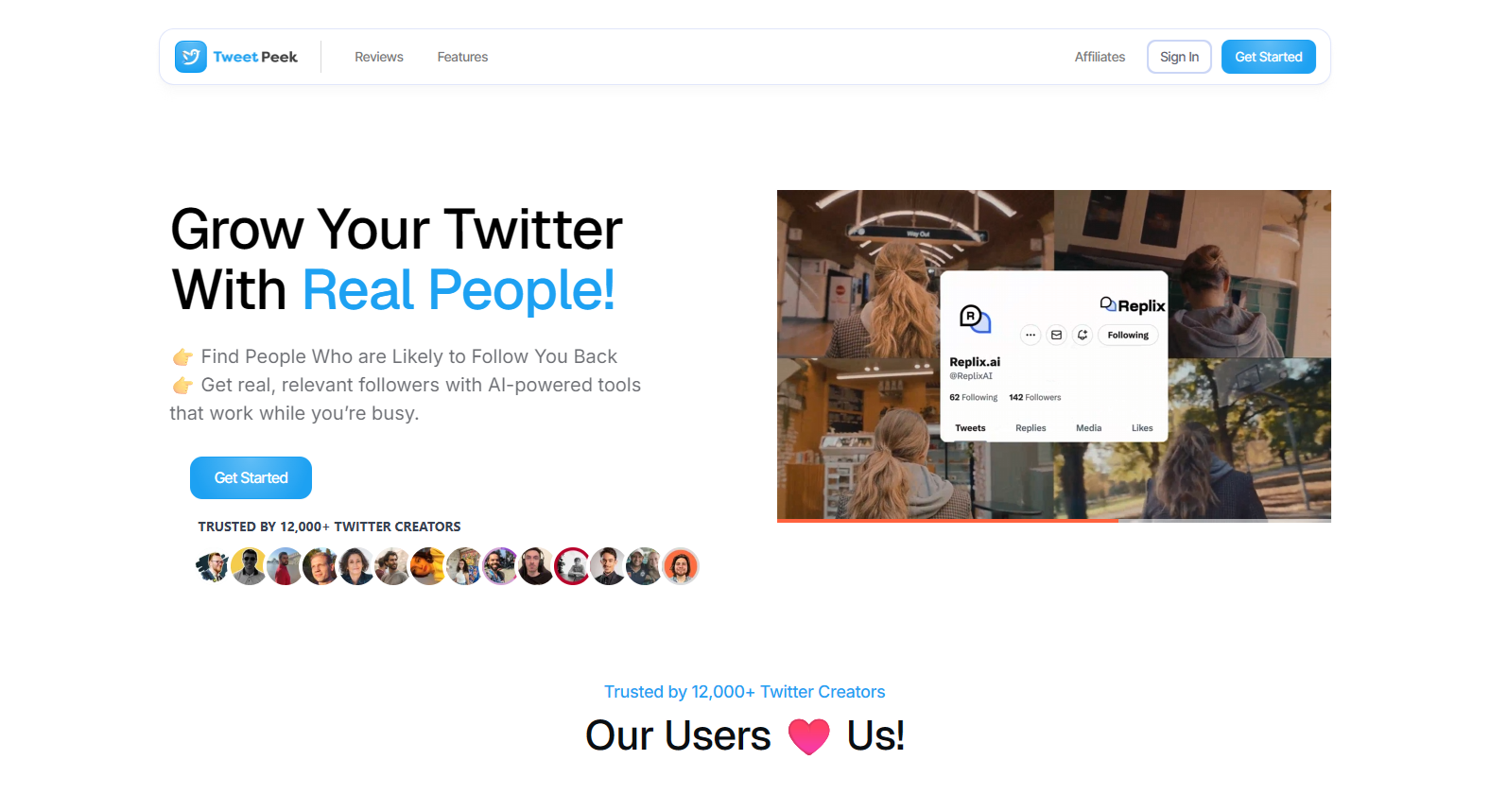
TweetPeek is a browser extension for X (Twitter) that helps you grow and stay organized with Smart Follows and Smart Unfollows (with scheduling as a secondary bonus). If your goal is a cleaner, more relevant audience over time, this is the kind of tool that reduces “random follower chaos” in the first place.
Smart Follows (find the right people automatically)
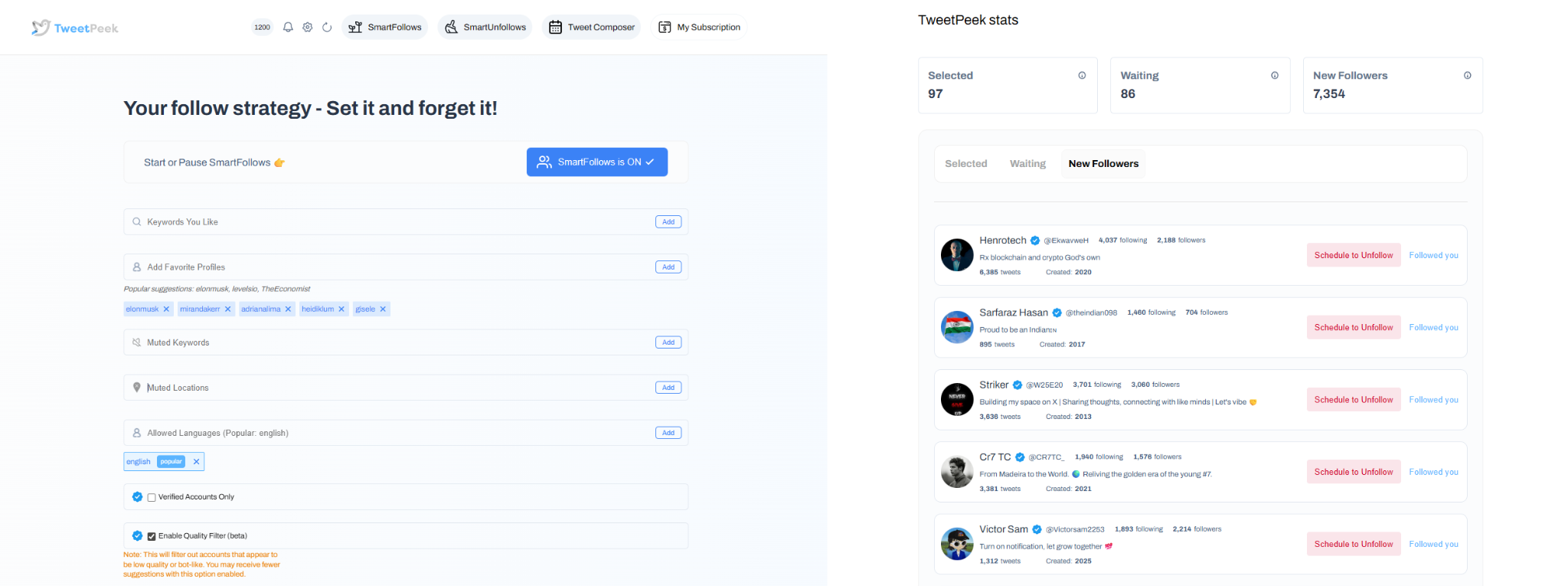
Smart Follows automatically follows people who match your interests, and if they don’t engage back, it unfollows them for you. This helps you:
- Find relevant people to follow
- Find people who are likely to engage
- Find people who are likely to follow you back
Targeting controls you can use:
- Keywords you like
- Favorite Profiles
- Mute Keywords
- Locations
- Languages
- Option: only follow verified accounts (if enabled)
Transparency (so you’re not flying blind):
- You can see accounts selected to be followed
- You can see accounts that already followed back
Smart Unfollows (clean up your following list fast)
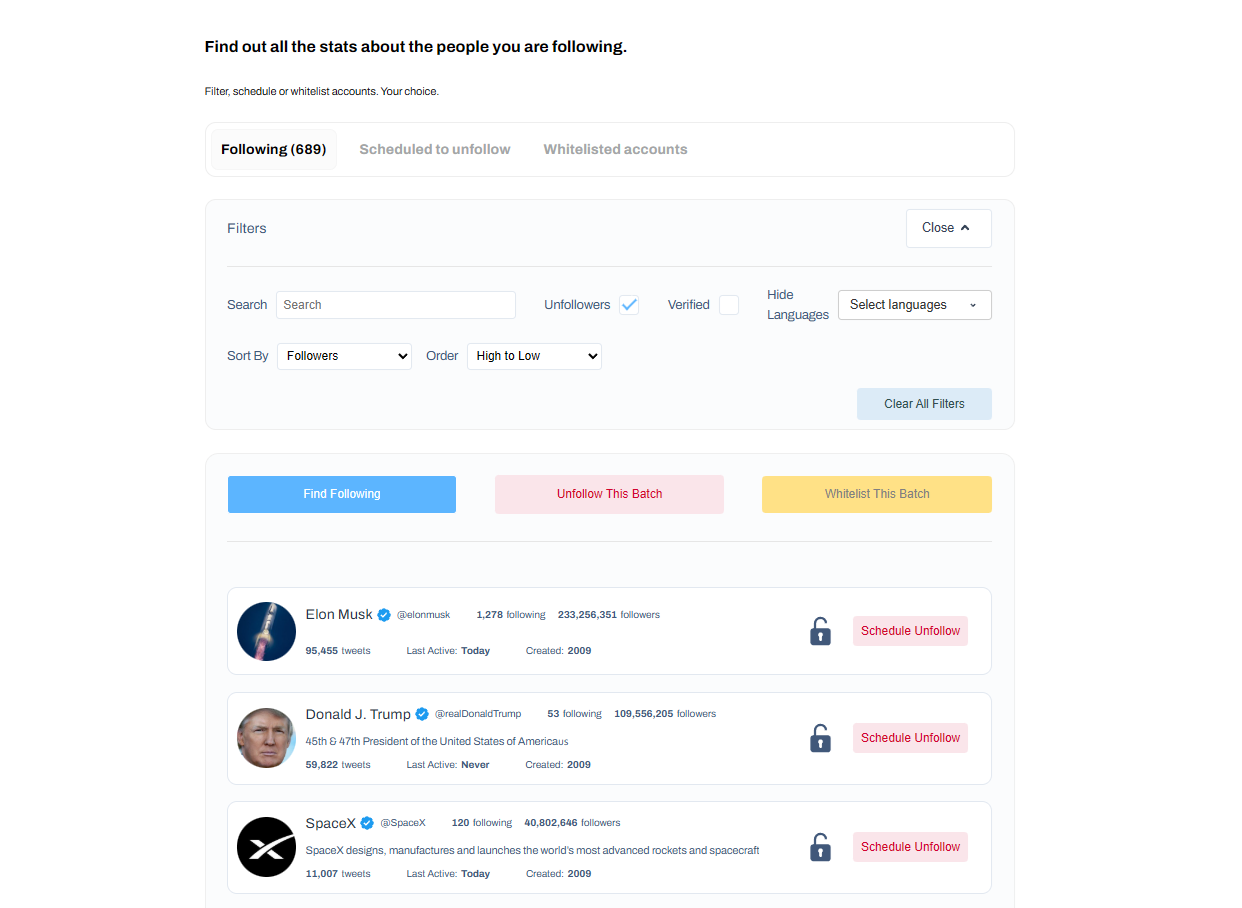
Smart Unfollows helps you see who isn’t following you back, so you can decide whether to engage or unfollow. It helps you quickly find people who aren’t following you back and clean up without guessing.
Filtering + sorting controls:
- Search accounts
- Filter: unfollowers, verified, languages
- Sort: followers, following, last active, tweets count (low→high / high→low)
Actions you can take:
- Batch unfollow results
- Whitelist accounts so they will never be unfollowed
Why TweetPeek stands out
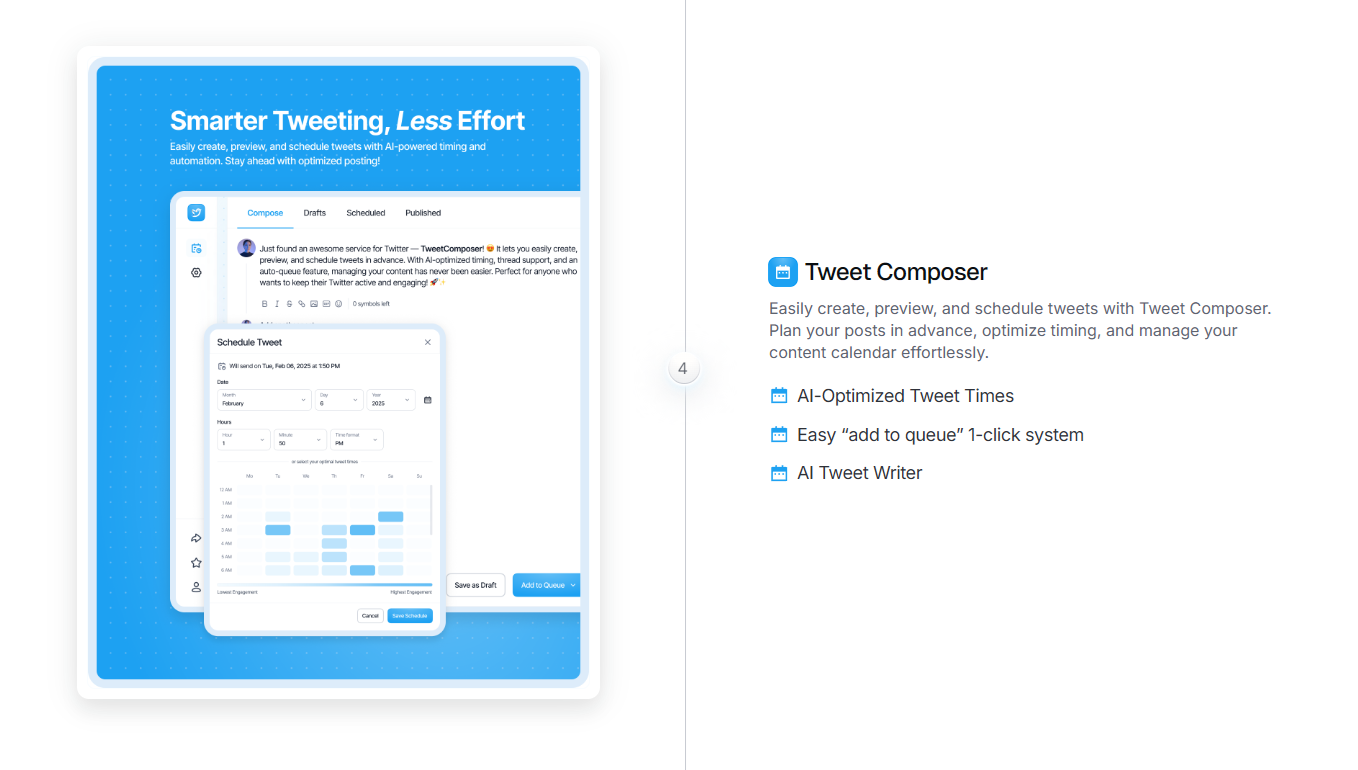
TweetPeek stands out because it’s an extension-first workflow that focuses on Smart Follows + Smart Unfollows, not just posting tools. It’s built to help you grow consistently while keeping your follow/unfollow activity measured and responsible, rather than aggressive. And since it supports creating, previewing, and scheduling posts, it also helps you stay active, without turning your account into a “spammy automation machine.” The result is a cleaner network and fewer low-quality connections to deal with later.
2) Audiense (or similar audience analytics tools)
Audience tools help you review follower quality faster by highlighting inactive profiles, suspicious ratios, or low-quality segments, so you can decide who to remove first.
3) Follower audit / analytics tools
General audit tools can surface inactive followers, likely bots, and engagement patterns so your cleanup isn’t based on vibes alone.
How to Block or Remove Twitter Followers One at a Time
You can remove followers in a “light” way (remove follower) or a “hard” way (block). Which one you choose depends on whether you want them gone for now or gone for good.
Remove Twitter Followers One at a Time With an Audience Tool (Faster Filtering)
If you’re trying to clean up a large follower list, the hardest part is usually this: figuring out who to remove without clicking into every profile.
That’s where audience tools help, because you can filter for patterns like:
- Extremely low follower counts (often spam)
- Long inactivity (months/years without posting)
- Weird follower-to-following ratios
- Accounts that look mass-created or low-effort
Once you’ve filtered a shortlist, you can open those accounts and remove them one by one (which is still manual, but much faster than hunting blindly).
What this method is best for
- Cleaning up spam/bot followers
- Removing inactive accounts
- Prioritizing the worst followers first
Remove Followers on Twitter Directly From Their Profiles
This is the most straightforward method, especially if there’s a specific person you want to remove.
Steps (works on x.com in a browser, and may appear in-app depending on your version):
- Go to the person’s profile.
- Tap/click the three-dot (“More”) icon.
- Select Remove this follower.
- Confirm Remove.
What to expect
- They generally won’t get a push notification that you removed them.
- Removing a follower does not prevent them from following you again later.
- If you want to stop them from ever following you again, use Block instead.
If you don’t see “Remove this follower”
Platform menus change, and some accounts don’t see the same options at the same time. If it’s missing:
- Try logging in via a desktop browser at x.com
- Or use the workaround: Block → Unblock (explained in the FAQ)
Make Your Account Private to Prevent Unwanted Follows
If your bigger issue is people you don’t know constantly following you, the best long-term fix is controlling who can follow you in the first place.
When your account is private (often shown as Protect your posts), you must approve follower requests.
How to make your account private (desktop):
- Go to Settings and privacy
- Open Privacy and safety
- Go to Audience, media, and tagging
- Turn on Protect your posts
- Confirm
How to make your account private (mobile):
- Open Settings and privacy
- Tap Privacy and safety
- Tap Audience and tagging
- Turn on Protect your posts
- Confirm
Heads up: Going private can reduce discoverability, so it’s best for personal accounts or niche/private communities, not always ideal for creators trying to reach new audiences.
Make a List to Delete Twitter Followers With an Audience Tool
Sometimes you don’t want to remove someone immediately, you want to monitor first. This is especially useful when you’re trying to spot:
- Fake followers that “look real” at first glance
- Accounts that are borderline inactive
- Suspicious profiles that might be bots but also might be real people
A smart workflow is:
- Filter questionable followers
- Add them to a review list (or keep a short tracking list)
- Re-check later
- Remove or block when you’re confident
Examples of followers you might shortlist:
- Accounts with zero followers
- Accounts that haven’t posted in a long time
- Accounts with a very low follower-to-following ratio
- Profiles with no photo, no bio, and random usernames
This keeps you from accidentally removing real followers just because they’re quiet.
Remove Users From Your List of Followers Directly on Twitter
If you prefer staying inside X (Twitter) instead of using a third-party audience tool, you can remove followers straight from your followers list.
Steps (most reliable on desktop browser):
- Go to your profile
- Click Followers
- Find the account you want to remove
- Click the three-dot / more icon next to them
- Select Remove this follower
- Confirm Remove
Remove vs Block from the follower list
- Remove = soft removal (they can follow again)
- Block = full restriction (they can’t follow you)
The Top Questions About Follower Removal on Twitter
How do you delete Twitter followers all at once?
There’s no official “remove all followers” feature. The safest approach is removing followers one by one (ideally after filtering/auditing so you’re not doing it randomly).
How do I get rid of followers on Twitter fast?
The fastest method is:
- filter/sort to identify who should go first, then
- remove them one by one from your followers list or profile menu.
If you’re managing growth too, TweetPeek can help reduce future cleanup by keeping your follow/unfollow activity targeted and organized.
How do you remove followers from Twitter other than blocking?
Use Remove this follower (soft removal). It removes them without adding them to your block list, but they can follow you again.
Do you have to block and unblock users to soft block them?
Not always. If you see Remove this follower, use that. If you don’t see it on your device/account, the block → unblock workaround can replicate a soft removal (because blocking forces an unfollow).
How do I remove a follower from Twitter without unblocking them?
If you block someone, they’re blocked, there’s no “remove but keep blocked” conflict. If you want them gone and restricted, just Block and leave them blocked.
Can I unblock a Twitter account?
Yes. You can unblock someone anytime from their profile or from your blocked accounts list in settings.
Why can’t I remove a Twitter follower?
Most commonly:
- The option isn’t available in the specific app version you’re using
- The menu layout is different on your device
- You’re looking in the wrong menu (try their profile’s three dots or the followers list)
If it’s missing, try removing via x.com on desktop.
How do I mute users on Twitter?
Mute is great when you don’t want to escalate to removal or blocking.
- Tap/click the three dots
- Choose Mute
You can unmute from their profile later.
How do I make my Twitter account private?
Go to Settings and privacy → Privacy and safety → Audience, media, and tagging, then enable Protect your posts. You’ll approve followers manually after that.
Can I see who unfollowed me on Twitter?
Not directly inside X in a clean “unfollowers list” format. That’s where third-party tools come in, especially if you want a clear view of who changed status over time.
Why remove a follower?
Even if you’re growing, a clean follower list helps protect your account and improve engagement quality. Common reasons include:
- Spam or bot accounts
- Inactive followers
- Suspicious profiles with low-quality patterns
- People who bring unwanted replies or harassment
Does deactivating Twitter remove all followers?
Deactivating typically hides your account temporarily. If you reactivate later, your followers usually return with it.
How do I report users for abusive tweets?
If someone is harassing you, reporting can be the right next step.
- To report a post: open the post’s three-dot menu → Report
- To report a user: go to their profile → three dots → Report
Conclusion: Clean Up Your Followers, Then Keep It Clean
If you came here looking for how to remove followers on Twitter, the simplest answer is: remove them one by one using Remove this follower (or block when you need a stronger boundary). If unwanted follows are a recurring issue, switching to a private account can give you full approval control.
And if you want fewer cleanup sessions in the future, it helps to be more intentional about who you follow and how you grow. That’s where TweetPeek (https://www.tweetpeek.ai/) fits naturally: its Smart Follows help you find relevant people likely to engage, and Smart Unfollows helps you quickly clean up non-reciprocal connections, while still letting you stay consistent with light scheduling support.
If you want, I can also tailor this guide into a “quick checklist” version you can paste into your blog as a summary box.

.png)
.png)
